What are WhatsApp Ads and how to create them in 2025?

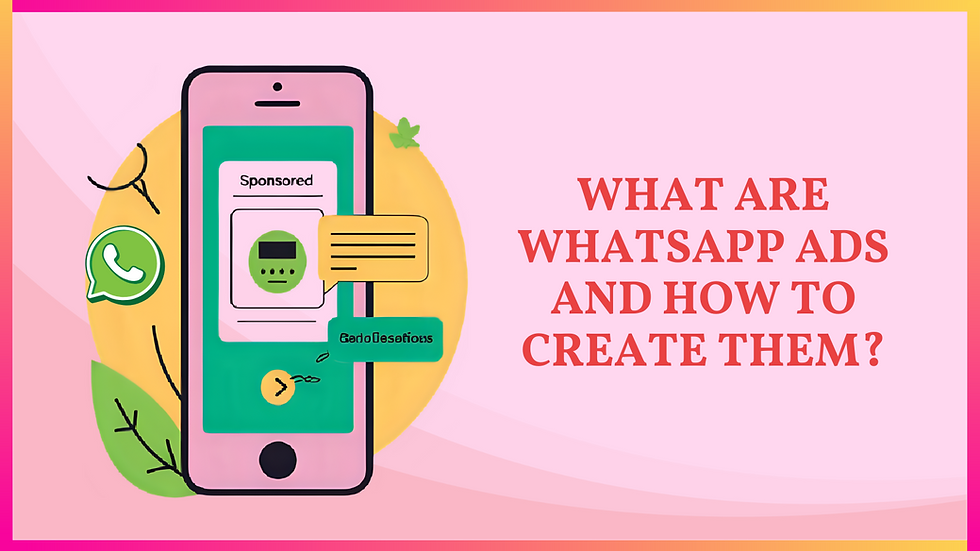
Table of Content
Introduction
Unlock the Power of WhatsApp Ads! WhatsApp ads are becoming a powerful way for businesses to connect with customers directly through their favorite messaging app. With billions of active users, advertising on WhatsApp offers a unique mix of scale and personalization. Many people today ask, why am I getting ads on WhatsApp?
The answer lies in Meta’s use of AI to improve ad targeting without compromising privacy. These smart systems help match relevant promotions while keeping personal messages and calls untouched. Whether you're exploring WhatsApp business advertising or planning your first advertisement on WhatsApp, this guide covers everything you need to know. This guide is brought to you by WA CRM.
What Are WhatsApp Ads?
WhatsApp ads have become a powerful tool for businesses, allowing brands to engage customers directly through the world’s most popular messaging app. Unlike traditional platforms, advertising on WhatsApp focuses on personalized interactions through features like click to WhatsApp ads and potential WhatsApp status ads. Many users wonder, why am I getting ads on WhatsApp?
This shift comes from Meta’s effort to integrate messaging with marketing. Whether you're exploring WhatsApp business advertising, planning a full-scale advertisement on WhatsApp, or curious if WhatsApp adverts are worth the investment, this guide will explain how to use WhatsApp ads effectively and responsibly.
Requirements for Setting Up WhatsApp Ads
Before launching your first WhatsApp ads, it's important to prepare the necessary accounts and connections. Setting things up correctly ensures your WhatsApp adverts run smoothly and comply with Meta's advertising policies. Here’s what you’ll need:
WhatsApp Business Account: You cannot run WhatsApp ads with a regular number. Set up a WhatsApp Business account using the app or API to appear professional and build trust with users.
Facebook Page Connection: Link your WhatsApp number to your Facebook Business Page. This is a required step for creating click to WhatsApp ads through Ads Manager.
Account Verification:
During the setup, verify your WhatsApp number by entering the country code and OTP. This confirms your ownership and activates messaging features.
Instagram Linking (Optional but Recommended): Connect your Instagram profile to the same Facebook Page for broader audience targeting across platforms.
Product Catalog Setup: Have at least one approved item in your Facebook or WhatsApp catalog. This gives your ad purpose and encourages user interaction.
Payment Method: Add a valid payment option to your Ads Manager account. This enables smooth billing for your WhatsApp business advertising campaigns.
How to Create WhatsApp Ads?
Here’s a quick step-by-step guide to start advertising on WhatsApp using Facebook Ads Manager:
Step 1: Create a WhatsApp Business Account

Download the WhatsApp Business app, register your business number, and add your logo, name, and business category.
Step 2: Connect WhatsApp to Your Facebook Page

Go to Meta Business Suite → Settings → WhatsApp. Add your number and verify it with the OTP to link your account.
Step 3: Launch a New Campaign

Open Ads Manager and click “Create.” For WhatsApp ads, choose objectives like Reach, Engagement, or Conversions.
Step 4: Set Your Budget, Traffic Destination and Define Your Audience

Choose a daily or lifetime budget. Under “conversion location,” select WhatsApp to direct traffic to your chat. Use saved, custom, or lookalike audiences to target the right users. This improves the success of your WhatsApp adverts.
Step 5: Add Creative Elements
Upload a single image, carousel, or video. These ads in WhatsApp will appear on Facebook, Instagram, and other placements.
Step 6: Write Copy and CTA
Add a short headline, message, and call-to-action. You can also set a custom greeting to start the WhatsApp chat smoothly.
Once done, hit Publish. Your WhatsApp business advertising campaign is now live and ready to drive real conversations.
Benefits of WhatsApp Ads
WhatsApp Ads give businesses a unique advantage by combining direct communication with smart targeting. Whether you're new to WhatsApp advertising or already exploring ad tools, the benefits are clear and highly impactful for customer engagement.
Reach a Global Audience:
With over 2 billion users, WhatsApp Ads help brands connect with people across the world through one of the most-used platforms.
Boost Engagement with WhatsApp Status Ads:
Status placements offer a non-intrusive way to promote offers, products, or updates, blending naturally into the user experience.
Drive Real-Time Conversations: Advertising on WhatsApp allows users to reply instantly, making WhatsApp adverts more interactive than traditional channels.
AI-Based Targeting Without Privacy Risk: While many ask why am I getting ads on WhatsApp, Meta uses AI for ad delivery based on interests not private messages or calls.
Seamless Integration with WhatsApp Ads Manager:
Easily manage and track your campaigns through Meta’s WhatsApp Ads Manager connected to Facebook and Instagram.
Stronger Brand Presence with Business Accounts:
WhatsApp business advertising from a verified profile builds trust and increases the impact of your advertisement on WhatsApp.
Cost-Effective Mobile Advertising: WhatsApp advertising helps optimize budgets while reaching mobile-first users who prefer chat-based communication.
Safe and User-Friendly: Even though some users search for how to stop WhatsApp ads, personal chats remain untouched, and users can choose whether to interact.
Different Ways to Use WhatsApp Ads
WhatsApp Ads are more than just simple promotions. They offer multiple creative ways to connect with potential customers, generate leads, and build long-term relationships. Whether you're running a small business or managing large-scale campaigns, WhatsApp advertising can fit various marketing goals.
Click-to-Chat Campaigns:
Create ads on Facebook or Instagram that open directly into a WhatsApp chat. This helps businesses start real-time conversations and handle queries instantly.
WhatsApp Status Ads (Coming Soon):
Similar to Instagram Stories, WhatsApp status ads are expected to help brands showcase limited-time offers, product launches, or updates in the Status tab.
Product Promotions Through WhatsApp Catalog:
Run targeted WhatsApp adverts to promote individual items from your catalog, giving users a direct option to view and purchase within the app.
Lead Generation for Services:
Use WhatsApp Ads to collect leads by offering consultations, demos, or appointments through quick chats, especially effective for service-based businesses.
Customer Retargeting:
Re-engage past customers by sending them special offers or reminders using WhatsApp business advertising tools linked through Ads Manager.
Event and Webinar Signups:
Promote events or webinars through WhatsApp ads that allow users to register or get reminders directly via chat.
Paid Content Access via Channels:
Can you advertise on WhatsApp for exclusive content? Yes by promoting your WhatsApp Channel, you can attract subscribers to paid or gated content.
Local Advertising on WhatsApp:
WhatsApp ads work well for small businesses looking to run location-based promotions or neighborhood discounts.
From driving sales to building stronger customer relationships, WhatsApp Ads offer flexible options for every business need.
Bonus Tip: Boost Your WhatsApp Marketing with a WhatsApp CRM
Using a WhatsApp CRM tool can make your business communication smoother and more organized. Whether you’re handling customer chats, sending marketing messages, or working with templates, a WhatsApp CRM helps you save time and improve results.
Step 1: Install a WhatsApp CRM Tool
Choose and install a reliable WA CRM extension or software from a trusted provider to enhance how you handle chats, templates, and campaigns.
Step 2: Open WhatsApp Web
Launch your WhatsApp CRM tool alongside WhatsApp Web so you can easily manage conversations, templates, and customer interactions in one place.
Step 3: Organize Your Chats
Use features like custom tabs or labels to sort your chats based on topics, customers, or marketing campaigns for better workflow and focus.
Step 4: Track Customer Interactions
Add notes to chats to record important details about customer interactions, conversations, or which messages you’ve sent.
Step 5: Schedule Messages and Reminders
Set reminders or schedule messages to ensure you send timely follow-ups, marketing campaigns, or important updates to your contacts.
Conclusion
WhatsApp Ads have opened up a powerful new channel for businesses to reach and engage customers in a more personal and direct way. Whether you're curious about why am I getting ads on WhatsApp or planning your next advertising campaign, it's clear that WhatsApp adverts are here to stay.
With options like click-to-chat, WhatsApp status ads, and full integration with the WhatsApp ads manager, brands now have multiple ways to promote their products and services. By setting up a proper WhatsApp Business account and using smart targeting, advertising on WhatsApp can help you boost visibility, generate leads, and build stronger customer relationships. If you're still wondering how to advertise on WhatsApp, now is the perfect time to get started.
FAQ: All about WhatsApp Ads
What are WhatsApp ads and how do they work?
WhatsApp ads are interactive campaigns designed to connect users with businesses directly on WhatsApp. These ads appear on Facebook or Instagram with a "Send Message" button, which opens a WhatsApp chat once clicked. Often referred to as click-to-WhatsApp ads, they are a powerful tool for advertising on WhatsApp, allowing businesses to offer instant support, showcase products, and build relationships.
WhatsApp ads make WhatsApp business advertising more effective by turning social media clicks into real conversations. This form of ad WhatsApp is ideal for brands looking to run targeted WhatsApp adverts and boost engagement.
Send the next one whenever you're ready.
Why am I getting ads on WhatsApp?
You're seeing ads in WhatsApp because the platform has started rolling out WhatsApp ads as a new monetization model. These WhatsApp adverts appear in the Updates tab, specifically within the Status and Channels sections. If you’ve ever asked, “why am I getting ads on WhatsApp,” the reason is to allow businesses to reach users in a less intrusive space.
While WhatsApp ads are now visible, WhatsApp has confirmed that personal messages, calls, and groups remain private and are not used for targeting. This answers common concerns like does WhatsApp have ads and how they’re being shown.
Do you have to pay to run WhatsApp ads?
Yes, running WhatsApp ads requires payment. Just like on Facebook or Instagram, businesses need to set a budget to launch any advertisement on WhatsApp. These WhatsApp ads can appear in the Updates tab or be used as click-to-chat campaigns to drive traffic directly to your business chat.
Whether you're using the WhatsApp Business app or Meta Ads Manager, WhatsApp business advertising involves a paid strategy. The overall WhatsApp ads cost depends on your targeting, campaign objective, and ad format, making every ad WhatsApp campaign flexible to different budgets.
Who can see WhatsApp ads?
WhatsApp users can see WhatsApp ads in the Updates tab, which includes both Status and Channels. These ads in WhatsApp are shown separately from private chats, calls, and groups, which remain fully encrypted. WhatsApp adverts are targeted based on user data such as age, location, language, and engagement with previous ads. If you're wondering who sees WhatsApp ads, the answer is users who match the ad’s targeting criteria set during the advertising on WhatsApp campaign setup.
How do I stop ads on WhatsApp?
While WhatsApp ads are limited to the Updates tab, you might occasionally see marketing messages or promotions. If you're wondering how to stop WhatsApp ads, first check if the ads in WhatsApp are from official channels or unknown sources. You can unsubscribe from promotional messages by replying with keywords like STOP or UNSUBSCRIBE. For unwanted pop-ups or third-party ads, scan your device for suspicious apps or adware. WhatsApp ads are still controlled and separate from personal chats, but being cautious can help reduce unnecessary WhatsApp adverts or unrelated advertising on WhatsApp.
What do WhatsApp ads look like in Status or Updates?
WhatsApp ads in the Status or Updates tab appear as sponsored content between regular user updates. These WhatsApp status ads are clearly marked as "Sponsored" and display the advertiser’s name. Users can tap the ad to learn more, interact, or start a chat with the business. If you're curious about what WhatsApp ads look like, they are designed to blend into the Updates section while remaining distinct from personal content. These ads in WhatsApp offer a non-intrusive way for brands to deliver targeted WhatsApp adverts to their audience.


Comments